Non-Webmail Access Control
Disabling Non-Webmail access blocks the IMAP, POP3, and SMTP connections to the mailbox. As a result, scripts and mail clients (like MS Outlook, Thunderbird, and Apple Mail) using the IMAP/POP3/SMTP protocols will no longer be able to connect to the mailbox. Combining this with two-factor authentication greatly enhances the mailbox security; however, it also means that the mailbox can only be accessed via Webmail Classic and Roundcube.
Non-Webmail access can be controlled per mailbox via the Webmail Classic and Roundcube interfaces. Here is how you can do it step-by-step:
Roundcube
Non-Webmail access can be disabled via the Roundcube Webmail > Settings menu > Non-Webmail Access (IMAP/POP3/SMTP) > press the Disable button next to "Non-Webmail access is enabled".
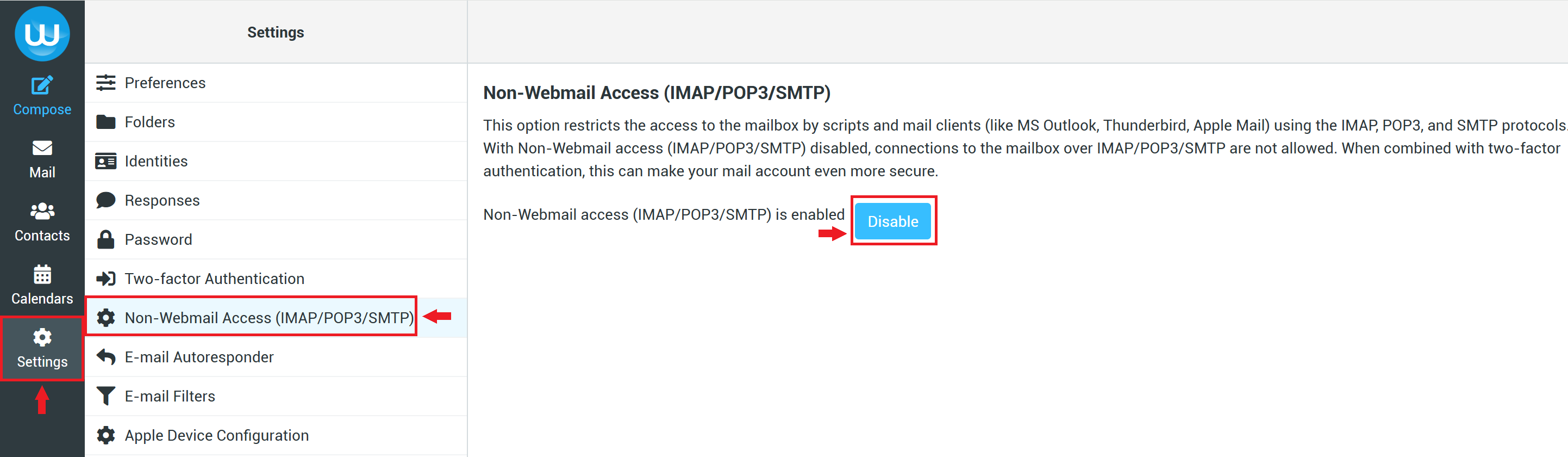
To enable it again, go to the same menu and press the “Enable” button next to "Non-Webmail access is disabled".
Webmail Classic
Non-Webmail access can be disabled via the Classic Webmail > Options menu > Password & Security > press the Disable button next to "Non-Webmail access (IMAP/POP3/SMTP) is enabled".
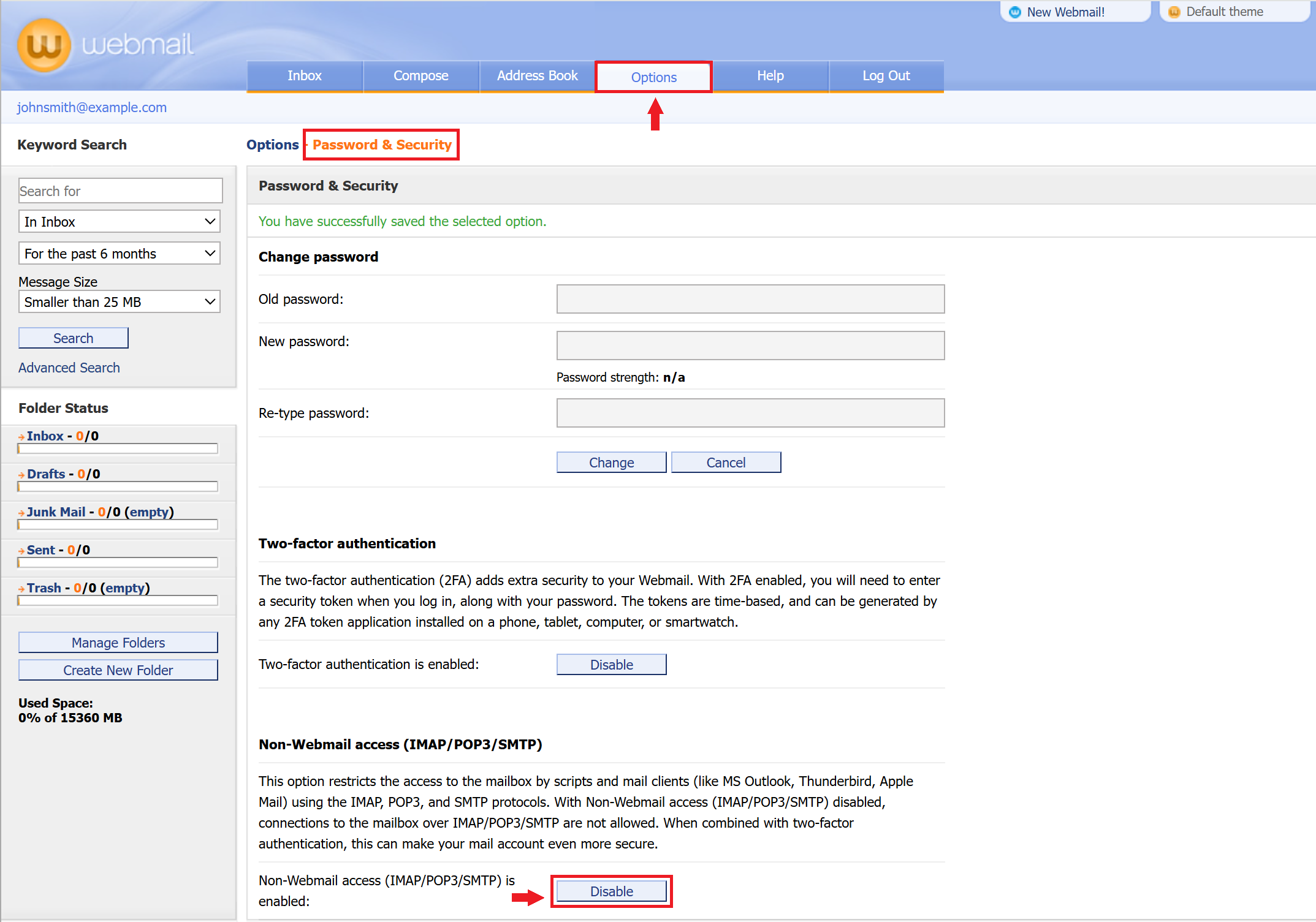
To enable it again, go to the same menu and press the “Enable” button next to "Non-Webmail access is disabled".
Control Panel
Non-Webmail access can also be toggled through the Mail Manager section of the Control Panel.