Launch and maintain your website using AI
- Build sites through simple descriptions
- Let AI handle the technical work
- Update through natural conversation
- Maintain without the complexity
- Start from scratch or edit your existing site
- Professional results without expertise
Highest Rated Hosting on Trustpilot


Learn How to Use Our AI Assistant for WordPress

Ready to get started?
Get WordPress AI HostingDescribe Your Website Vision
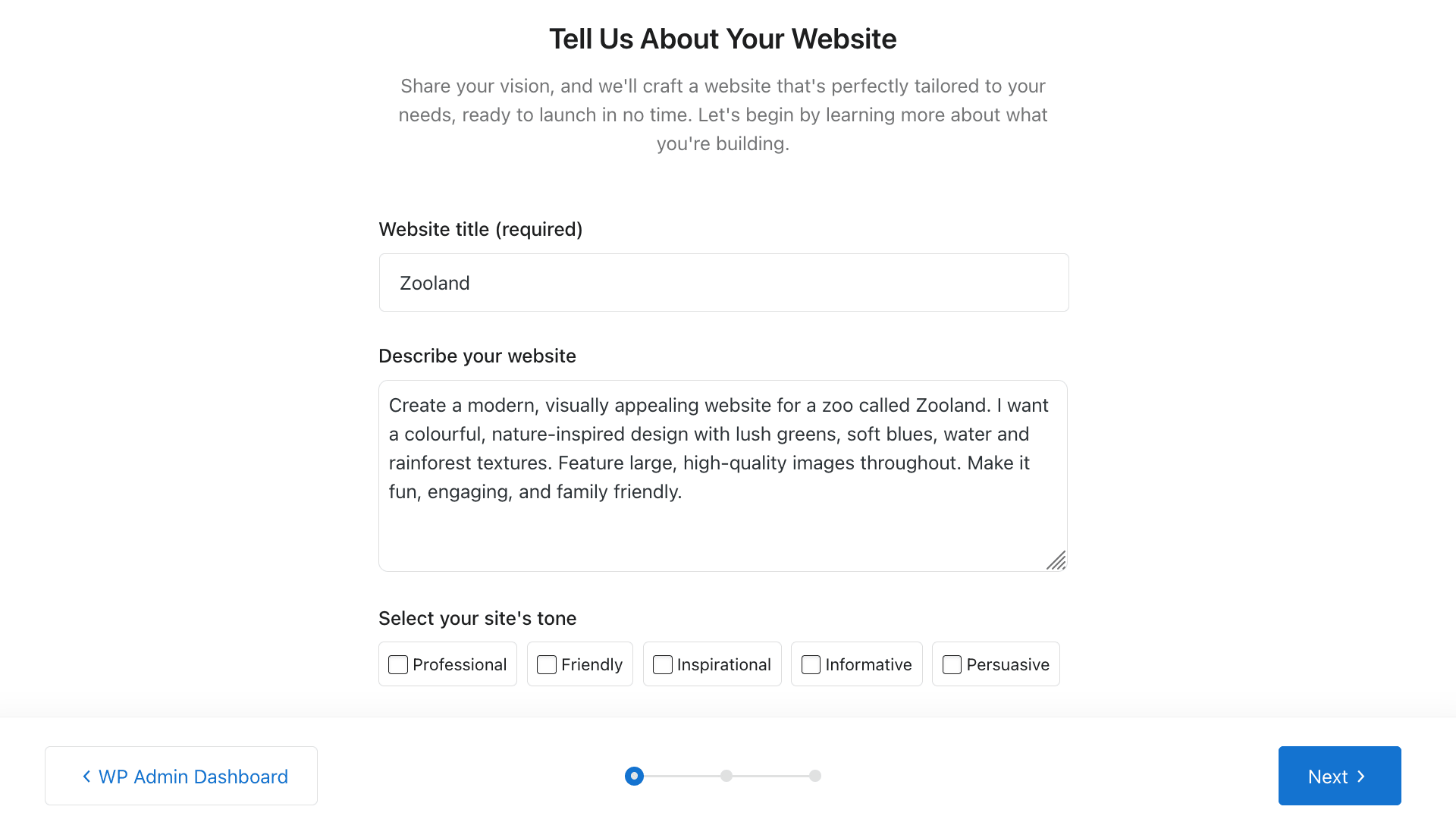
The entire process takes less than a minute from start to finish, eliminating hours of manual setup and configuration. Start by providing some basic information about your project, including your website's purpose, target audience, and the tone you want to convey. You can describe your business activities, highlight your unique selling points, or explain the services you offer. The more details you share, the better the AI can tailor the final result to match your vision perfectly, ensuring your website accurately represents your brand from the moment it launches.
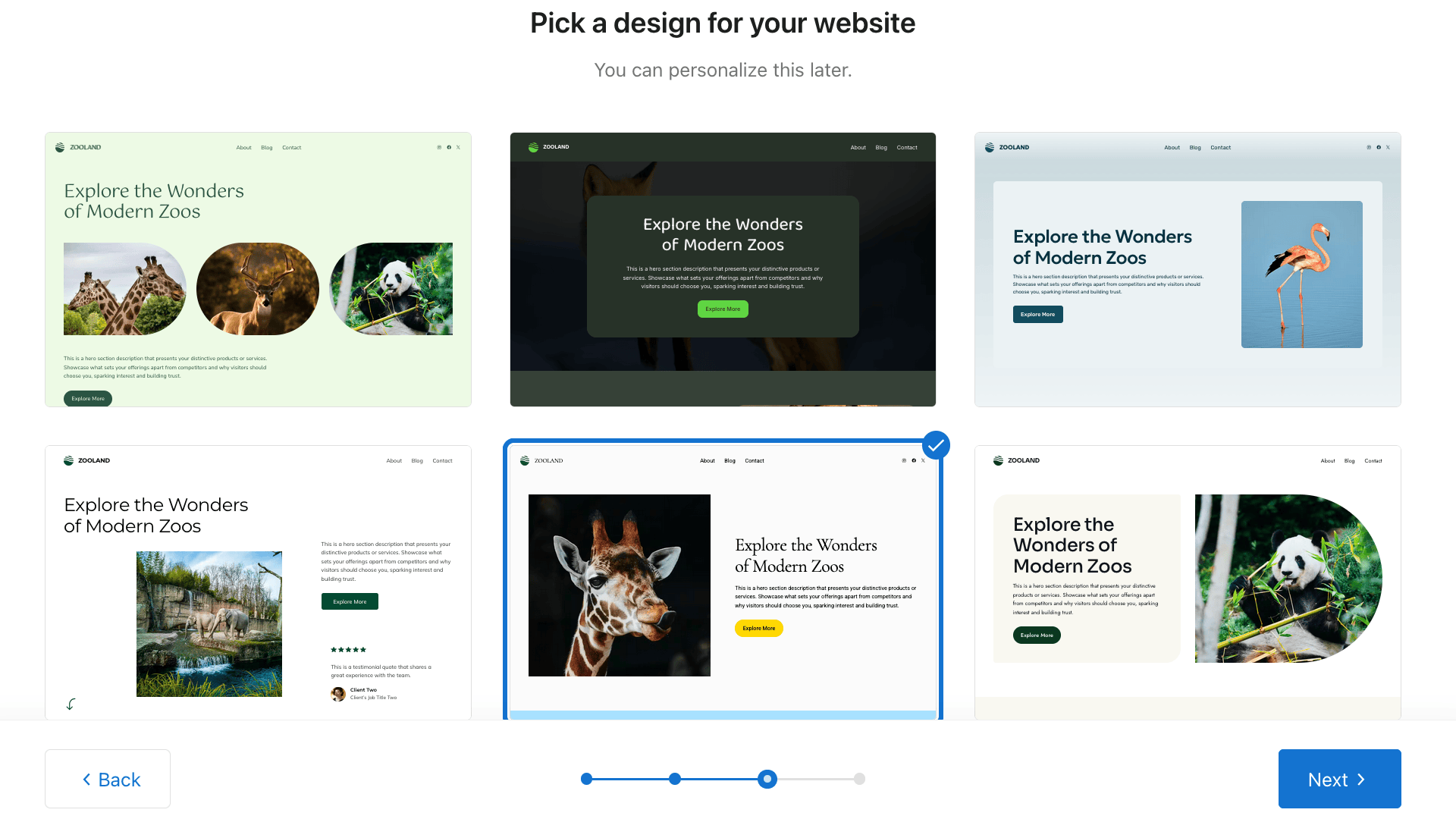
Select Your Website Design
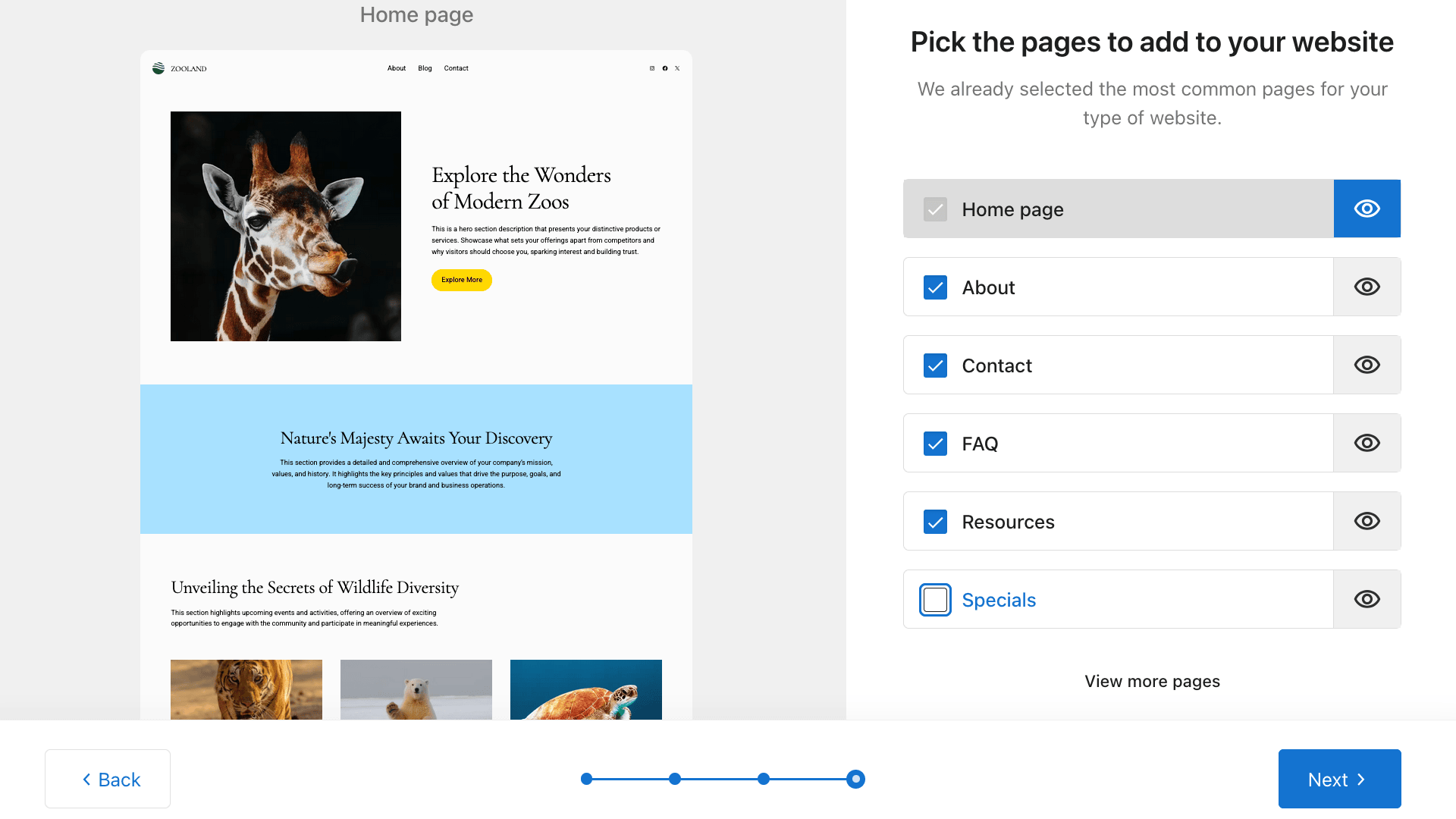
Choose Your Website Pages
You can always add more pages later through the WordPress dashboard, and the AI Assistant can help you with that.
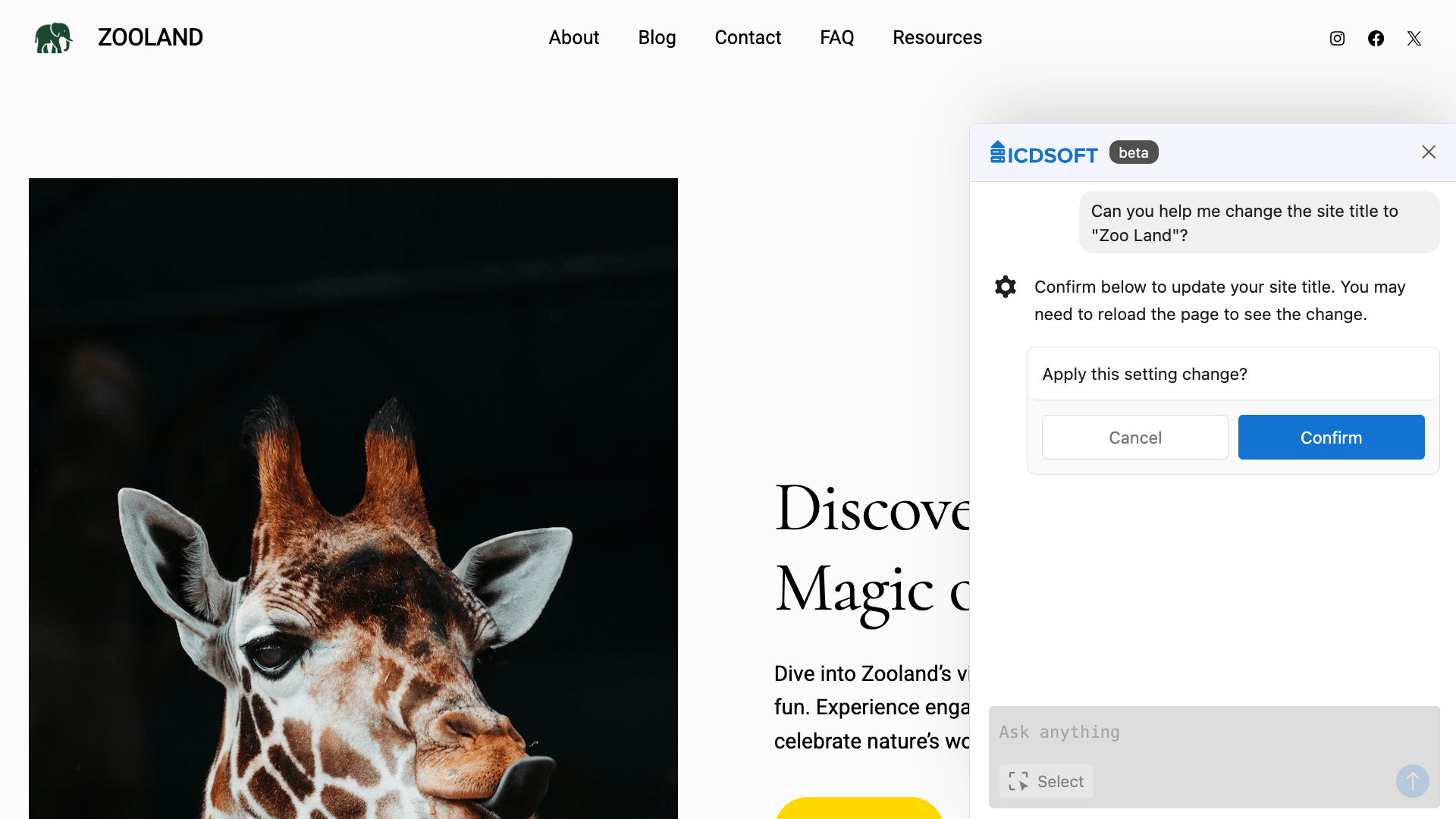
Continue with Your AI Assistant
AI-Powered Hosting Plans for WordPress
For a Busier Site, Made Easier
For Growing Portfolios
For High-Demand Projects
For a Busier Site, Made Easier
For Growing Portfolios
For High-Demand Projects
For a Busier Site, Made Easier
For Growing Portfolios
For High-Demand Projects
Frequently Asked Questions
Can I build my website from scratch with the AI Assistant?
Yes, the AI Assistant guides you through building a complete website from scratch. Start by describing your business and vision, then the AI generates a fully functional site with customized content, professional design, and all necessary pages. The entire process takes just a few minutes, and you can refine any aspect afterward using the assistant's ongoing support.
Can I make changes to my existing website?
Yes, the AI Assistant works with your existing WordPress website. You can request changes to content, design, layout, or functionality at any time. The assistant handles modifications to pages you have already created, adds new sections, adjusts styling, and helps you expand your site as your needs grow. Simply describe what you want to change in plain language, and the AI implements the technical details for you.
If the AI assistant is unable to apply the changes automatically, it will provide step-by-step instructions instead.
Can I buy the AI Assistant for my existing account?
Yes, you can add the AI Assistant to your existing hosting account at any time. You can purchase it through the Account Panel > "Manage" page of the account > "Upgrades".
The assistant will be installed in your WordPress site at /www/www/. If WordPress is not already installed in that directory, it will be installed automatically first.
Can I still make changes manually?
Yes, you retain full manual control over your website. The AI Assistant is an optional tool that works alongside standard WordPress editing capabilities. You can continue using the WordPress block editor, theme customizer, and all other traditional editing methods whenever you prefer. The AI simply provides an additional way to make changes through natural language commands, but never restricts your ability to edit manually.
Do I need coding knowledge to use the AI Assistant?
No, you do not need any coding knowledge to use the AI Assistant. The tool is designed specifically for users without technical backgrounds. Simply describe what you want in plain language, and the AI handles all technical implementation automatically.
Can the AI Assistant help me write blog posts?
Yes, the AI Assistant can help you write blog posts. Describe your topic, target audience, and desired tone, and the assistant will generate complete blog content. You can also ask it to refine existing posts, adjust writing style, or expand on specific sections.
How do I tell the AI Assistant what I want?
Click the "AI Agent" button located in the upper-right section of the top panel in your WordPress Dashboard. This opens the AI Assistant interface where you can type your requests in plain language. Describe what you want to change or create, and the assistant will guide you through the process.
Can I disable the AI Assistant if I do not need it?
Yes, you can disable the AI Assistant by deactivating the WordPress plugin. This will not affect your website's functionality or content. Your site remains a standard WordPress installation, and you can even transfer it to another hosting provider without any issues. The AI Assistant is completely optional and leaves no dependencies.
What languages does the AI Assistant support?
The AI Assistant supports multiple languages. Simply communicate with it in your preferred language, and it will automatically detect and respond accordingly. Try asking questions in your native language to confirm compatibility.