Fast, stable, seamless. Like any hosting plan should be.
- Smart AI Assistant for easy WordPress management
- Accelerated cache powered by Redis
- Free WordPress migration to our servers
- 24/7 expert WordPress support included - no upsells
- Superfast server setup for amazing WordPress performance
- Automated daily backups kept for 7 days
 Top Tier WordPress Hosting Performance Award 2026
Highest Rated Hosting on Trustpilot


Hosting Plans for WordPress
For One Great Site
Everything you need for a fast, secure, and reliable WordPress site.
For a Busier Site, Made Easier
Add AI assistance and Redis-powered caching for smarter, faster performance.
For Growing Portfolios
More sites, more space, and the same AI and Accelerated Cache benefits.
For High-Demand Projects
Maximum capacity for projects that require even more space and flexibility.
For One Great Site
Everything you need for a fast, secure, and reliable WordPress site.
For a Busier Site, Made Easier
Add AI assistance and Redis-powered caching for smarter, faster performance.
For Growing Portfolios
More sites, more space, and the same AI and Accelerated Cache benefits.
For High-Demand Projects
Maximum capacity for projects that require even more space and flexibility.
For One Great Site
Everything you need for a fast, secure, and reliable WordPress site.
For a Busier Site, Made Easier
Add AI assistance and Redis-powered caching for smarter, faster performance.
For Growing Portfolios
More sites, more space, and the same AI and Accelerated Cache benefits.
For High-Demand Projects
Maximum capacity for projects that require even more space and flexibility.
AI-Powered WordPress - Build Quickly, Manage Effortlessly
Meet your personal AI assistant
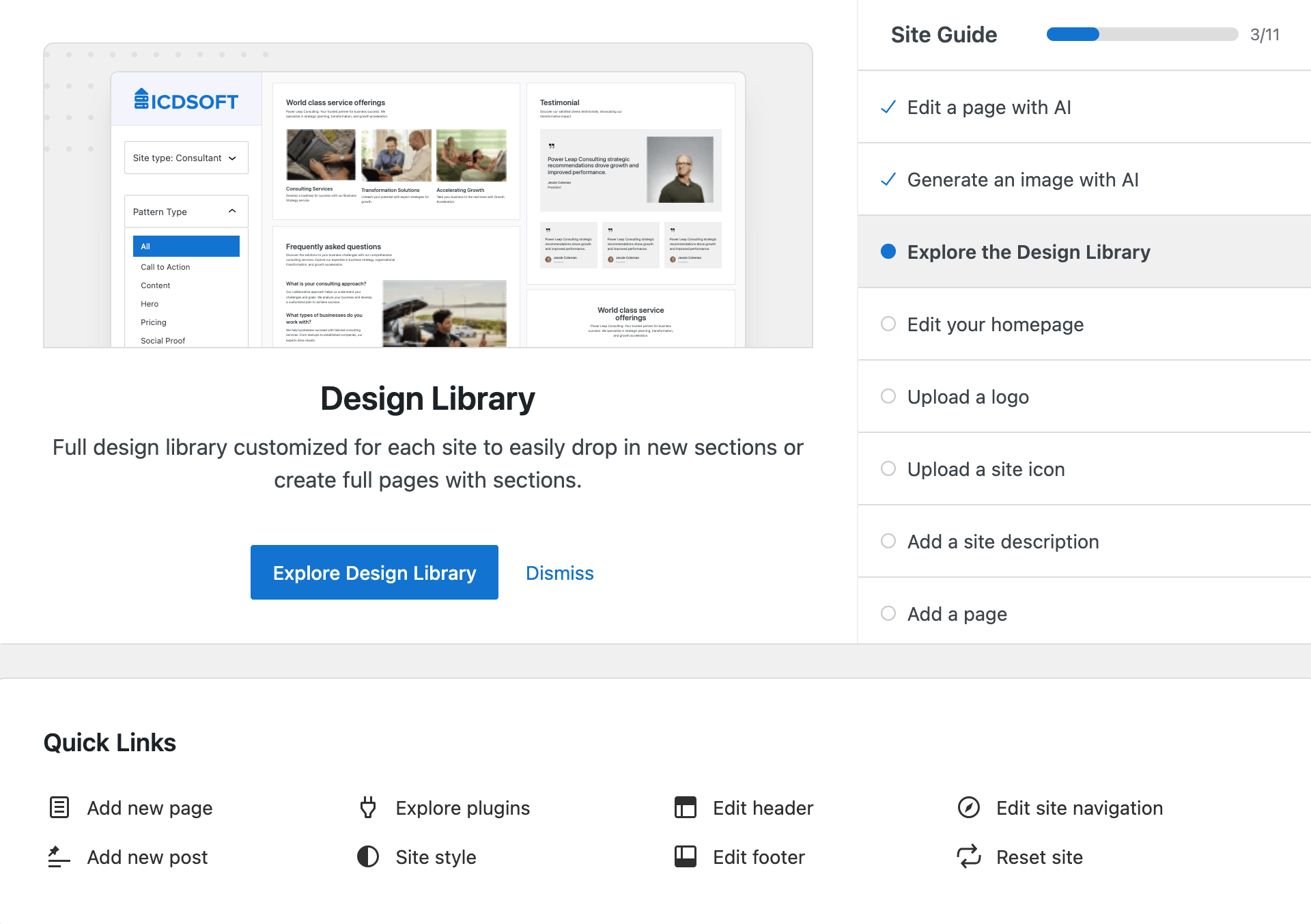
Launch your WordPress site in minutes with our fully integrated AI assistant. From the very first click, you'll get smart content suggestions, intuitive setup guidance, and automated tools that help you build and manage your website faster - all in one streamlined experience.
The AI assistant is your constant WordPress companion: always available, always responsive. Whether you're editing, designing, or managing, it delivers instant guidance so you can focus on growing your site.
Why WordPress and ICDSoft are a Perfect Match
It is super easy to set up and manage WordPress
Award-winning WordPress performance, built in
We provide peace of mind for you and your WordPress site
Ready to get started?
Get hosting for WordPressMeet WordPress MultiManager
The Ultimate Free Tool to Manage All Your WordPress Sites

All Your Sites at a Glance
Effortlessly monitor and manage multiple WordPress sites from one unified interface. Connect your websites seamlessly and swiftly access important information, including available core, plugin, and theme updates.

Manage All Your Themes and Plugins
Conveniently compare the themes, plugins, and their versions for many WordPress websites at once. You can also install, uninstall, activate, or deactivate plugins and themes for one or multiple websites.

Efficiently Apply Updates
Easily apply the latest updates for the WordPress core, themes, and plugins to some or all of your websites at once with just a few clicks. You can also opt in to receive automatic email notifications for available updates.

The Amazing World of WordPress
WordPress is the king of the web right now. It powers over 35% of all websites ( WordPress Usage Statistics). Choosing WordPress as the platform for your website should be a no-brainer. The WordPress ecosystem provides not only powerful site builders. The WooCommerce WordPress plugin is the most widely used eCommerce solution worldwide, used by some of the largest online stores. Whether you are looking to build a one-page website or a multi-page online store, WordPress has you covered.

Elementor
Powering over 4 million websites, Elementor is one of the most popular WordPress plugins. Its popularity is boosted by the free version, which is truly powerful and offers many free templates and block layouts. Create pixel perfect designs with clean code and fast page speed scores with this site builder.
Check out our video below to see how easy it is to build a website with WordPress + Elementor.
How to Build a WordPress Website in 15 Minutes

WooCommerce
According to Datanyze [1], WooCommerce powers over 40% of all online stores. WooCommerce is built by the same company that created WordPress, so you can be sure that it is well-supported and documented. Starting is very easy with the built-in first start wizard, which helps you configure all necessary settings for your online store.
Use our blog post How To Make An Online Store For Free (Step by Step) and our video below as references when building your new store.
How to Create an Online Store in 10 Easy Steps
Ready to host your WordPress website with us?
Choose your planFrequently Asked Questions
Will my site be faster on the ICDSoft servers?
Honestly? We can't say. In reality, this depends on too many factors, the majority of which have more to do with your project than what we bring to the table. However, we can guarantee that we constantly invest in the latest hardware. Currently, our servers are powered by 18-core Intel Xeon Gold processors, and are all backed by SSD storage for super-fast file access speed. Additionally, we can guarantee that we never put too many users on a single shared server. Finally, whenever your WordPress site does not perform as expected on our infrastructure, our Support Team will work with you to optimize it further.
What does Managed WordPress hosting mean?
We were asking the same question, and found out that Managed WordPress hosting mostly constitutes of the following:
- WordPress either comes pre-installed, or with an easy to use installer;
- Automated updates of the WordPress Core version;
- Daily full site backups;
- Free SSL Encryption with every account, on any plan;
- Enhanced security via custom firewall rules and patches;
- Expert assistance with any WordPress question, from free migrations to plugin updates to the dreaded White Screen Of Death.
We weren’t surprised to find out that we already checked all of these items, and have been consistently doing so for years – our Support Team has been providing super fast, friendly, and knowledgeable advice on WordPress sites for as long as WordPress has existed, and we have gradually been releasing WordPress-specific tools to help our customers even more. We are working on new additions to our custom Control Panel even now, and we can’t wait to share them with you.
How is ICDSoft different from other Managed WordPress hosting providers?
There are two main differences between everyone else out there and us. The first is the quality and speed of our dedicated Support Team. Most of the time, our customers choose to ask us first before going to the vendors of their theme or plugin, or to the wider WordPress community for help, and with good reason. While most hosting providers will let you know that troubleshooting or even fixing issues with third-party software is beyond the scope of their services, our staff takes on such tasks daily, and gladly.
The second one is our in-house development team and the unique products that they create for our users. First, we offer a custom Control Panel, which provides unrivaled control over the hosting environment in a friendly interface, way ahead of the cPanel-powered competition. Then there's our state of the art Reseller Panel and Hosting-In-A-Box solution, simplifying both the hosting and billing parts of the business in order to bring the ultimate white label solution to all designers, developers, and dedicated WordPress agencies.
Do I need to pay for WordPress hosting, since other providers offer it for free?
While free WordPress hosting exists, you will find yourself limited in even the simplest things, and discover that services such as pointing your own domain to your free site come at an additional cost. Some of the paid web hosting providers have hidden limitations to their services (beware of the word “unlimited”), and may even sneakily inject JavaScript into your site, which is why we are very out-front about what you get with every plan and hosting account.
Is SSH access important for WordPress hosting?
While not critical, SSH access can be very helpful for experienced users and developers because it allows for direct access to the underlying architecture of the WordPress site. Additionally, we offer WP-CLI on all plans, which is a powerful command line interface to the WordPress core.
Which WordPress hosting plan is the best for my site?
The one that fits your needs. All our WordPress plans include the same fast, optimized platform, free daily backups, free migration, and 24/7 expert support. They differ in the number of websites, storage, and optional extras. Take a look at the plans above, choose the one you like, and if your needs change later, you can always upgrade.
What is the difference between the WordPress and the shared hosting plans?
The WordPress hosting plans come with WordPress pre-installed and available for management using the WordPress section in the hosting control panel. All other hosting plans can also benefit from our one-click WordPress installer and the tools in the WordPress section of the control panel if you decide to install WordPress after ordering the account.
Recent WordPress Posts from the ICDSoft Blog
How to Update WordPress Like a Pro (Without Breaking Your Site)
Keeping WordPress updated is essential for security, performance, and long‑term stability. In this guide, we'll walk you through a safe, structured update process - from backups and staging to troubleshooting - so you can update WordPress confidently and avoid downtime.
Read moreHow to Fix WordPress SSL Issues: Full Guide to HTTPS, Mixed Content, and Security Warnings
Fix common WordPress SSL issues with this full guide to HTTPS, mixed content errors, and browser security warnings. Learn how to secure your WordPress site, configure redirects, and boost trust and SEO.
Read more“There has been a critical error on this website”. The Complete Guide on WordPress Debugging and Error Reporting
Learn how to deal with the dreaded message in WordPress. This complete guide walks you through enabling debug mode, locating error logs, and resolving issues step by step - whether you're a beginner or a seasoned developer.
Read more